G Suite rights, creativity, security – Top 3 post for the week
https://eduk8.me/2017/12/signing-away-rights-using-g-suite-education/
https://eduk8.me/2017/12/how-creativity-works/
https://eduk8.me/2017/12/lower-productivity-innovation-due-security/

https://eduk8.me/2018/01/another-site-teach-students-check-validity-websites/ https://eduk8.me/2018/01/comic-snow-day/ https://eduk8.me/2018/01/edtech-voice-assistants-place-classroom/
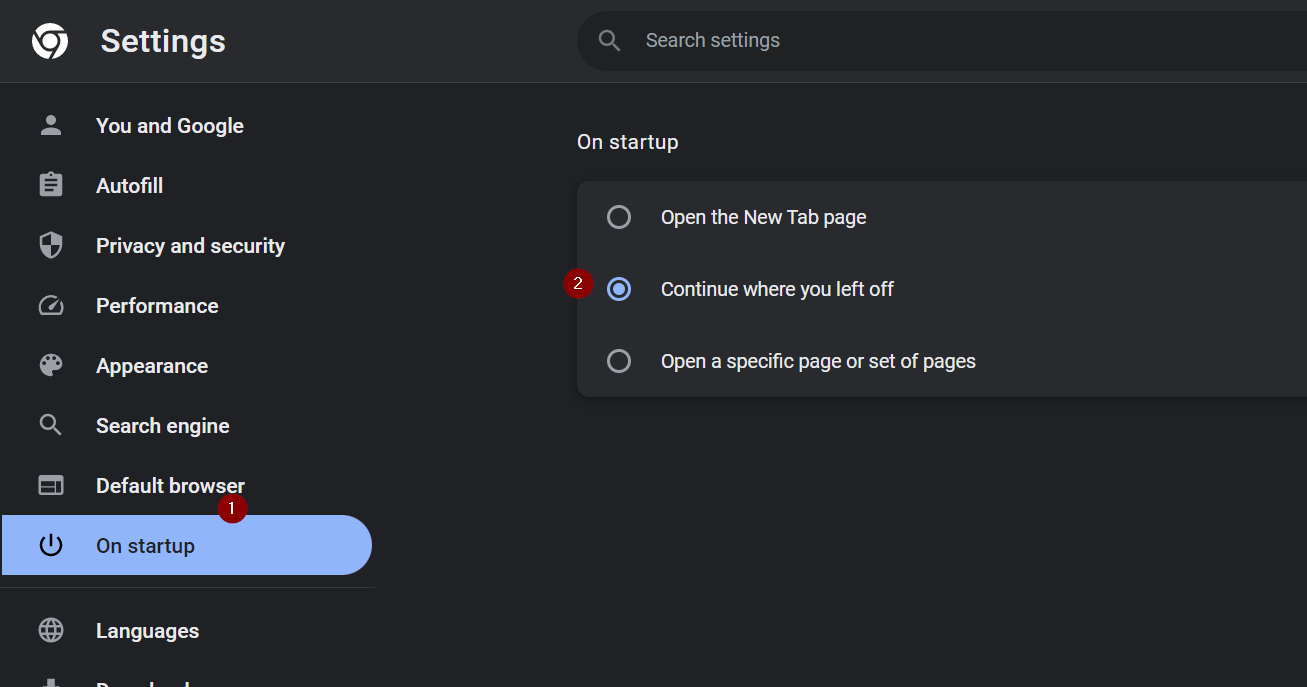
There are two settings I change when I start up Chrome for the first time. Here’s a YouTube Short showing the settings: Turn on sync By signing in to Google Chrome and turning on sync, all of my bookmarks, extensions, passwords, and more sync. This allows me to use my laptop, my desktop, or a…
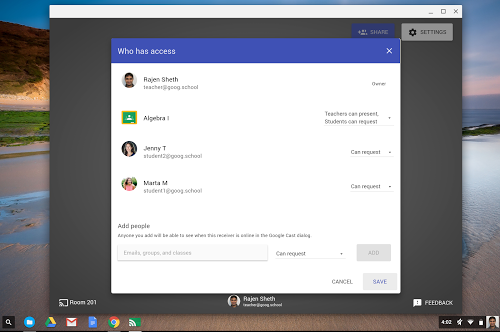
Google Cast for Education is a free Chrome app that allows students and teachers to share their screens wirelessly from anywhere in the classroom. Cast for Education carries video and audio across complex school networks, has built-in controls for teachers, and works seamlessly with Google Classroom. Source: Google Cast for Education Help And here I’ve…
https://eduk8.me/2018/02/edchat-flashcards-becoming-big-silicon-valley/ https://eduk8.me/2018/02/comic-what-me-work/ https://eduk8.me/2018/02/edchat-becoming-better-teacher-becoming-better-public-speaker/
Free icons to use for badges from OpenClipart OpenClipart has some great choices to help you create badges or other graphics for your classroom. Giving privacy for better behavior When always watching, there may be some consequences when you’re not watching. Keep your accounts safe with two factor authentication What is two-factor authentication and why…
https://eduk8.me/2021/10/running-copies-right-before-class-starts-eduk8meme/ https://eduk8.me/2021/10/differentiation-comic/ https://eduk8.me/2021/10/how-to-convert-different-file-types-with-zamzar/