A Meme, a Comic, and push notifications – Top 3 of the Week
https://eduk8.me/2021/02/staff-bathroom-eduk8meme/
https://eduk8.me/2021/02/valentines-day-is-on-sunday-comic/
https://eduk8.me/2021/02/push-notifications/
https://eduk8.me/2020/04/using-the-share-to-classroom-extension-in-google-chrome/ https://eduk8.me/2020/04/comic-comfort-at-home/ https://eduk8.me/2020/04/eduk8meme-video-conference/
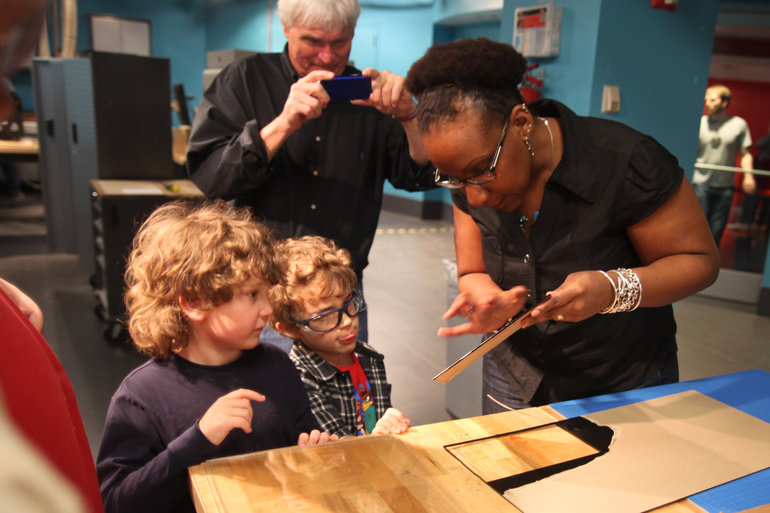
Despite all the press makerspaces receive, not all are successful. Oftentimes when schools create makerspaces, excitement builds for the first few weeks as students create and explore. But as time passes, students lose interest, and the makerspaces languish silently, gathering dust. The tools that filled those makerspaces — big and small, expensive and reused, high-tech…

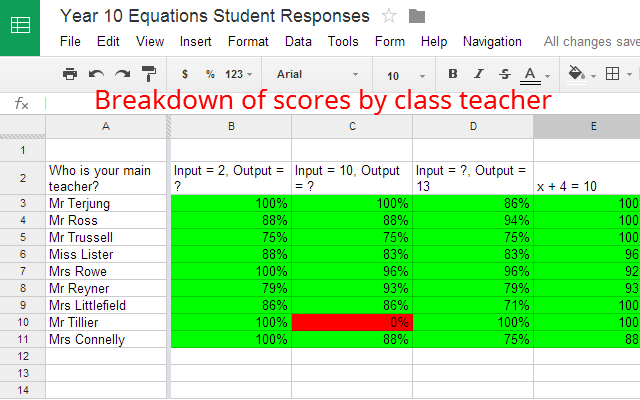
Super Quiz adds brilliant functionality and assessment tools to a quiz made with Google Forms. Source: Super Quiz – Google Sheets add-on Super Quiz adds the ability to auto grade quizzes, provide item analysis of questions, and personalized feedback to students. Although it takes a little bit of work to set up, it offers a…
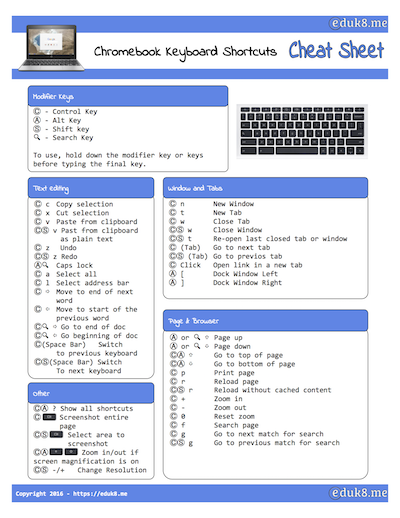
After releasing my Google Voice Typing Cheat Sheet last week, I decided to put together a Chromebook Keyboard Shortcuts Cheat Sheet for the keyboard shortcuts on a Chromebook. How do you get it? By joining the Eduk8me mailing list. Why should I give you my email?