Similar Posts
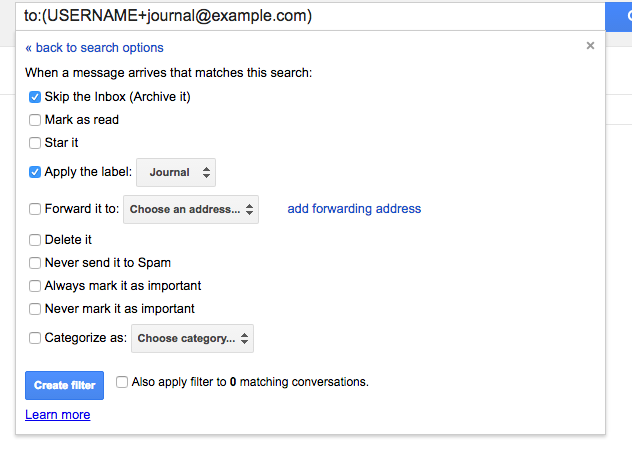
11. Journal (from 13 Gmail hacks for teachers – http://u.eduk8.me/13gmailhacks)
This is part 11 of 13 Gmail hacks for teachers. I’ll be the first one to tell you my memory is terrible, especially with interactions during the day. Of course at the moment I believe I’ll remember it, but a day later and it’s already gone. This is my reason for setting up a journal…
Legends of Learning brings high quality, standards aligned gaming to the classroom
Legends of Learning brings high quality, standards aligned gaming to the classroom. Currently available with middle school science content, Legends of Learning gives teachers the ability to put together playlists of games that supports what is going in the classroom. The games are aligned with the standards in almost every state, and as the students play the…
Time zones, poverty, and the art of failing – Top 3 of the Week
https://eduk8.me/2018/11/comic-standard-time-zone/ https://eduk8.me/2018/11/the-effects-of-poverty-on-cognitive-function/ https://eduk8.me/2018/11/lost-and-the-failing-how-one-college-graduate-went-on-to-become-an-ios-developer/
Here is a list by Jake Miller of 7 tips for using the browser’s bookmarks bar + a bonus
Jake Miller lays out 7 fantastic ways to make the most of your Chrome bookmarks bar, and it’s quite a list. None of the hints are specific to Chrome, and will work in any browser. I would add an 8th to the list: 8. Bookmark Gmail searches Any search you perform in Gmail is bookmarkable (if…