Similar Posts
Using RSS in Chrome, Firefox, Internet Explorer, and Safari
[dropcap]A[/dropcap]LTHOUGH Feedly is a good web service to use, the limitations of the free plan of 100 feeds could be a problem if you want to follow more, such as when you have several classes blogging. Firefox,Chrome, and Safari support add-ons that let you follow RSS feeds right in the browser while Internet Explorer supports…
Bad tweeting, Vivaldi browser, iOS 12 comic – Top 3 of the Week
https://eduk8.me/2018/09/profane-tweets-costs-a-woman-her-nasa-internship/ https://eduk8.me/2018/09/getting-started-with-vivaldi/ https://eduk8.me/2018/09/comic-ios-12/
You and your research – the requirements for doing great work
How nice, then, to rediscover the transcript of a 30-year-old talk from Richard Hamming, a former math and computer professor and researcher. (Hamming was also part of the team that worked on the Manhattan Project during World War Two.) Hamming titled his talk, which he presented on 07 March 1986, “You and Your Research,” but…
Annotate PDFs online with Kami
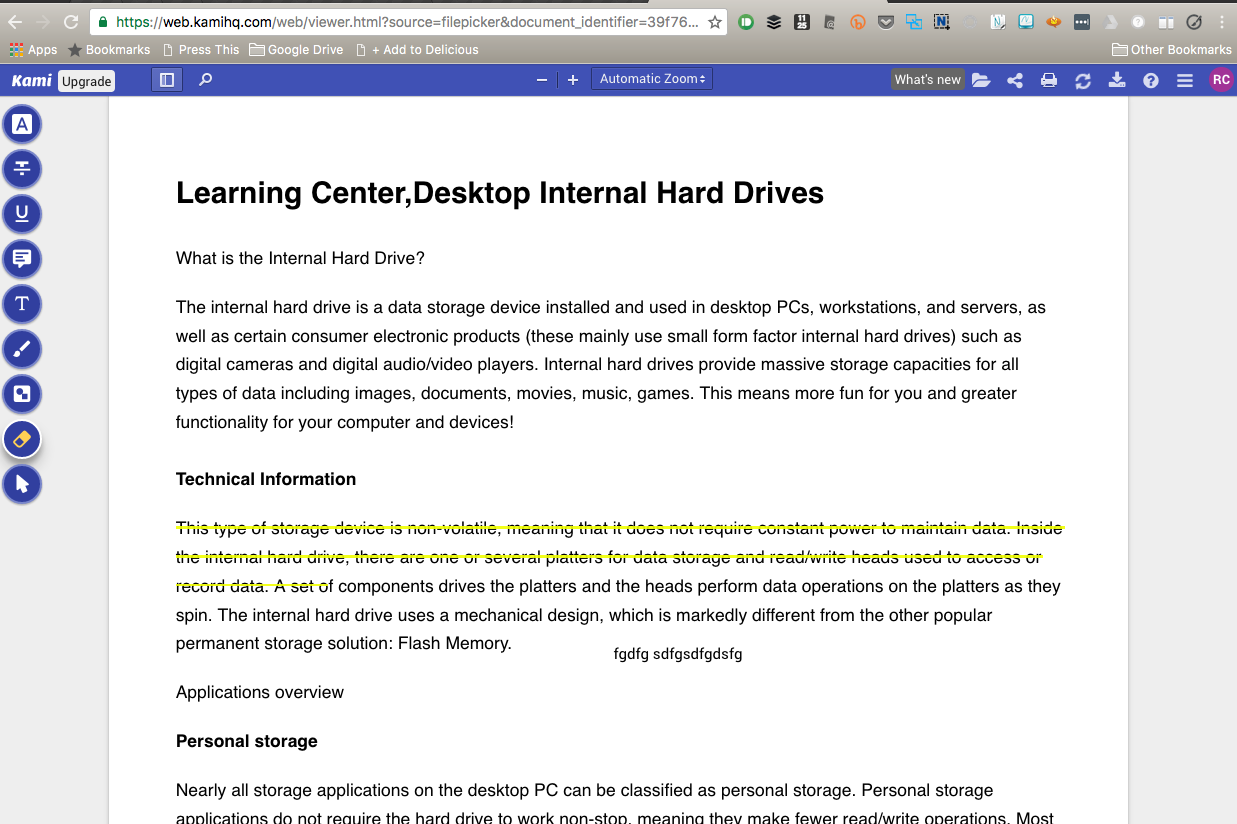
I’ve been using PDF Escape to mark up PDFs when I’m on a Chromebook, and Kami is a fantastic entry into the mark up PDFs market. You can access Kami in any browser by visiting https://web.kamihq.com/, and it supports Google Logins, so students can start using it right away. The free plan should probably be enough for…
Free whiteboard, a meme, and planning & building – Top 3 of the Week
https://eduk8.me/2021/08/excalidraw-is-another-whiteboard-solution/ https://eduk8.me/2021/08/todays-the-day-eduk8meme/ https://eduk8.me/2021/08/planning-and-building/
It’s the Environment, Stupid « Annie Murphy Paul
“Rather than consider noncognitive capacities as skills to be taught, I [have come] to conclude, it’s more accurate and useful to look at them as products of a child’s environment. There is certainly strong evidence that this is true in early childhood; we have in recent years learned a great deal about the effects that…