New Year’s Eve


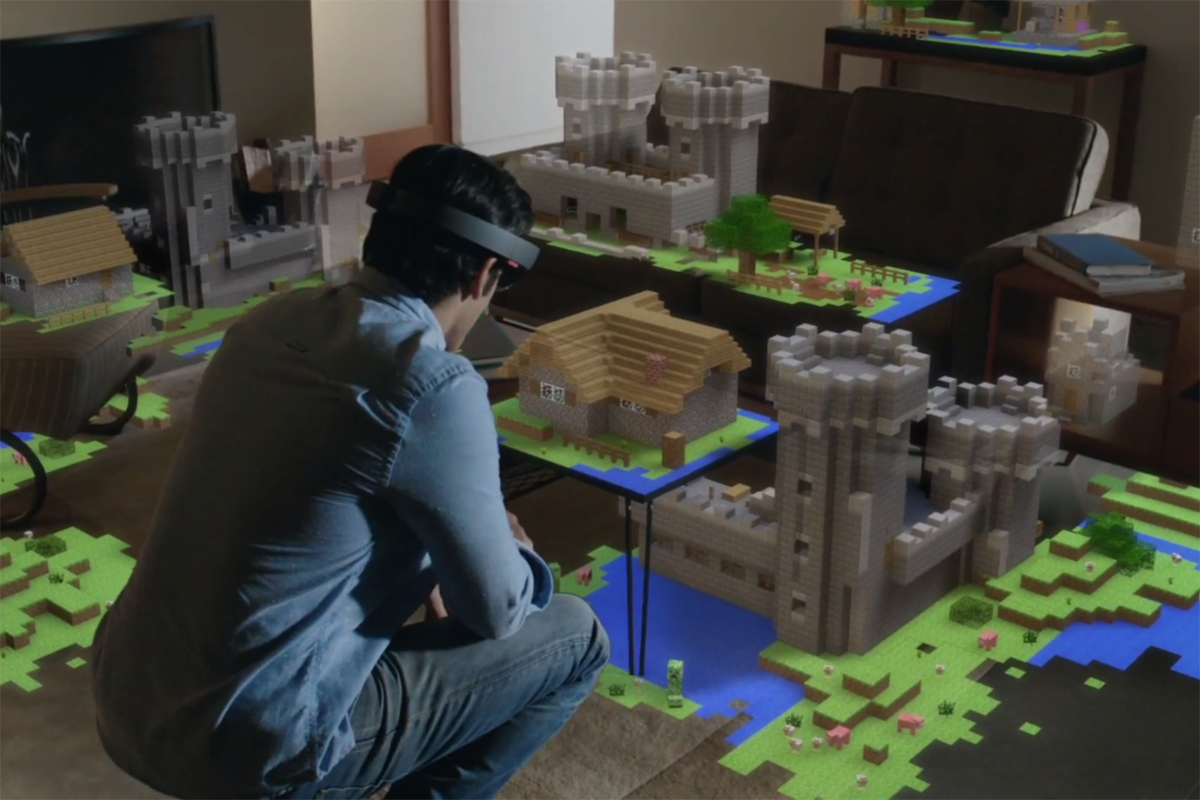
Two technologies have been popping up a lot lately, augmented reality and virtual reality. What are they and how can they be used? Augmented reality Augmented reality overlays a computer generated display onto your view of your current surroundings. When viewing the world with augmented reality, the furniture in the room is still there, but…

To get that valuable time and space to collaborate with fellow educators—in their city, state, country or across the world—some teachers are taking to online networks and DIY-ing their own face-to-face meet-ups. Through grassroots “unconferences” like Edcamps, online forums like #edchat and informal Facebook groups, teachers are taking professional learning into their own hands. Source: 7 Ways…

https://eduk8.me/2020/11/comic-virtual-meeting-rules/ https://eduk8.me/2020/11/help-low-vision-readers-by-using-the-free-atkinson-hyperlegible-font/ https://eduk8.me/2020/11/write-ebooks-with-the-free-reedsy-online-writing-app/