Similar Posts

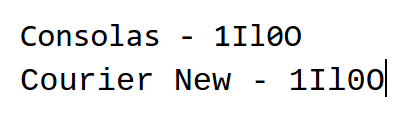
Select proper fonts for usernames, passwords, and urls.
How many times have you been given a username and password, and have to go back and ask “is this a 1 or an l” or “is this a 0 or an O”? Selecting a proper font for usernames, passwords, urls, commands, etc. can save you time and make the experience less frustrating for your…
Before the 1st day of school, student project ideas, and highlighting rows in Google Sheets – Top 3 for the week
13 things to do before the first day of school #b2s The entire list is updated today! 16 Ideas for Student Projects using Google Docs, Slides, and Forms Pretty cool ideas! And can be used for other pieces of software. Highlight rows in Google Sheets with conditional formatting This is one of the most popular…
A Meme, Google Slides tips, and a new way to practice typing – Top 3 of the week
https://eduk8.me/2020/10/eduk8meme-october-approaches/ https://eduk8.me/2020/10/youtube-6-tips-to-make-your-google-slides-look-good/ https://eduk8.me/2020/10/a-new-way-to-practice-typing-and-read-classic-literature/
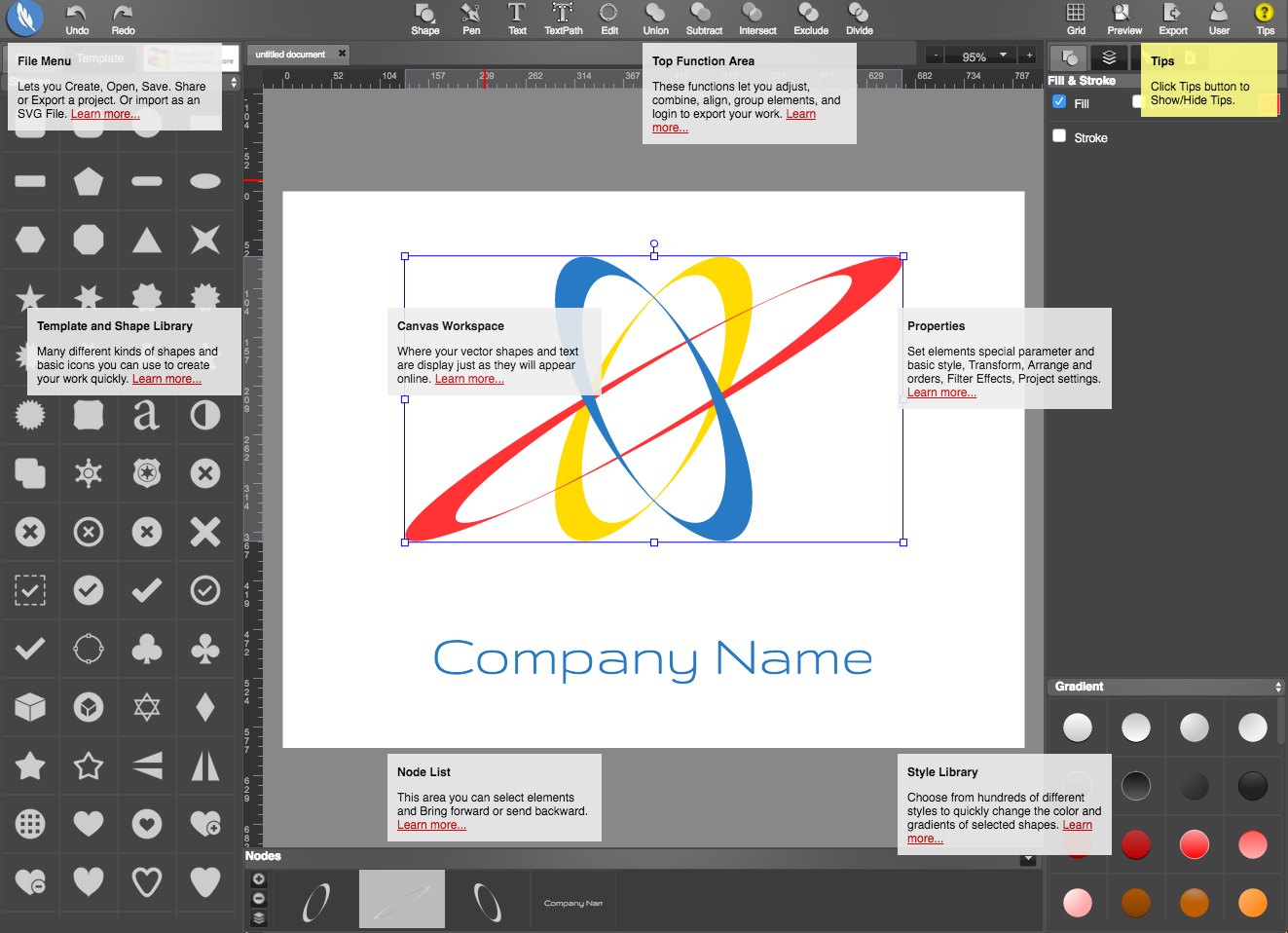
Create logos, draw, and paint with YouiDraw
YouiDraw is advertised as “Adobe Illustrator in the cloud”. The website works with vectors, which means the drawings consist of mathematical representations of objects. This is different from raster pictures, such as jpeg, gif, and png. Vector graphics can be resized smaller or bigger, without any loss of fidelity. There are three parts to YouiDraw, Drawing, Logo…