✂ How students can make a copy of a Google Site #YouTube
Google doesn’t make it easy, but it is possible to share a Google Site as a template that students can then use to make a copy.
Learn how to use virtual desktops in Windows! It’s a great way to handle the computer when you don’t have a 2nd screen. Links: 📰 Sign up for my newsletter – https://eduk8.me/welcome 🌐 Website – https://eduk8.me 🐤 Twitter – https://twitter.com/eduk8me Equipment used: 📹 Logitech C930e 1080P HD Video Webcam – https://amzn.to/33foFbv 💻CYBERPOWERPC Gamer Supreme SLC8440A…
There are times when you would like to draw your student’s attention to particular part of your screen. By using the screen magnifier built in to macOS, you can quickly zoom in and out on a particular area.

Sure, Google does a pretty good job of finding what you want, but sometimes it needs a little help. Here are my 5 favorite tips for using Google search effectively.
Not only can you easily create graphic organizers in Google Slides, but you can also lock items and share the completed organizer with your students through Google Classroom or Google Drive sharing. Other Google Slides help: How to lock objects in Google Slides (two ways, one doesn’t involve downloading graphics!) – 6 tips to make…
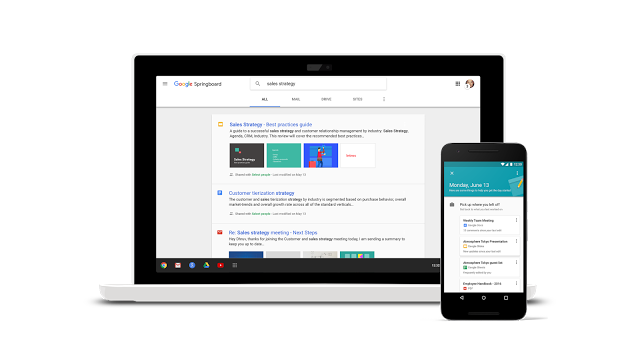
We’ve been previewing Google Springboard and the new Google Sites with a small set of customers, and we’re excited to begin to extend each of these new apps to more customers through an Early Adopter Program. Source: Google Apps update alerts: Powering a more connected and collaborative enterprise Google Springboard sounds like Google Now, except…