Similar Posts

4 ways to use the hidden power of the shift key
Your shift key is a super hero in disguise. During the day, it has the mundane job of making letters upper case, and allowing you to prefix your hashtags with the # sign, but it can do more… A lot more. Presenting: The hidden power of the shift key! Power 1: Adding blank lines in…
7 things to do to start the school year
Here are 7 things that I do to start every school year. I also created the following video to help explain the items on this list. Create a folder for the current school year (21-22)I always create a folder for the current school year, and start it empty. When I re-use stuff from the previous…

Why Good Professional Development Is Crucially Linked to an Educator’s Attitude | EdSurge News
Let’s start by giving “professional development” a definition. PD is a process that responds to a phase of personal growth and self-realization experienced by each individual. Professional development allows the person to establish an itinerary of evolution, taking into account the person’s work experience, acquired knowledge and vocation. But good PD is so much deeper…
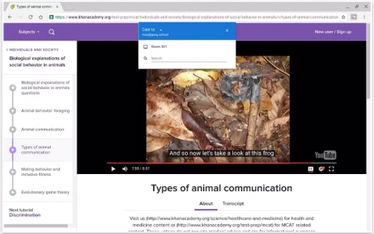
Google Cast for Education should now work for all Chromebooks
I don’t know how I missed it, but Chrome OS version 52 came out back in July. That might now mean much too you, except that it means Chromebooks can now use Google Cast for Education without having to be running beta software. Google Cast for Education allows student Chromebooks to be able to broadcast…