New freebie – Google Voice Typing Cheat Sheet
With the new features added to Google Voice Typing last week, I decided to put together a cheat sheet for the commands of Google Voice Typing.
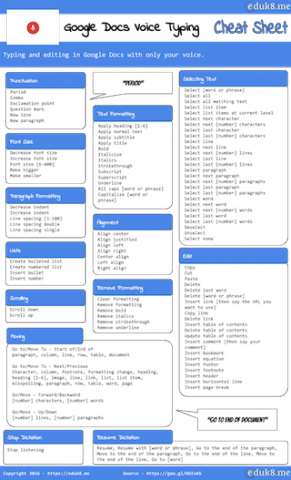
How do you get it? By joining the Eduk8me mailing list!
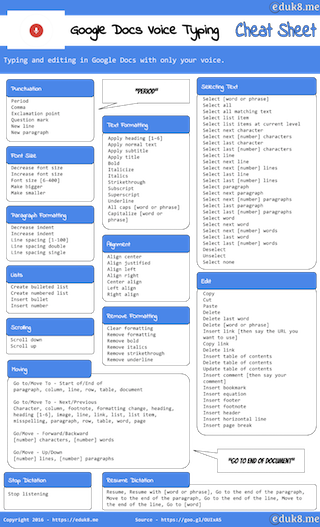
With the new features added to Google Voice Typing last week, I decided to put together a cheat sheet for the commands of Google Voice Typing.
How do you get it? By joining the Eduk8me mailing list!
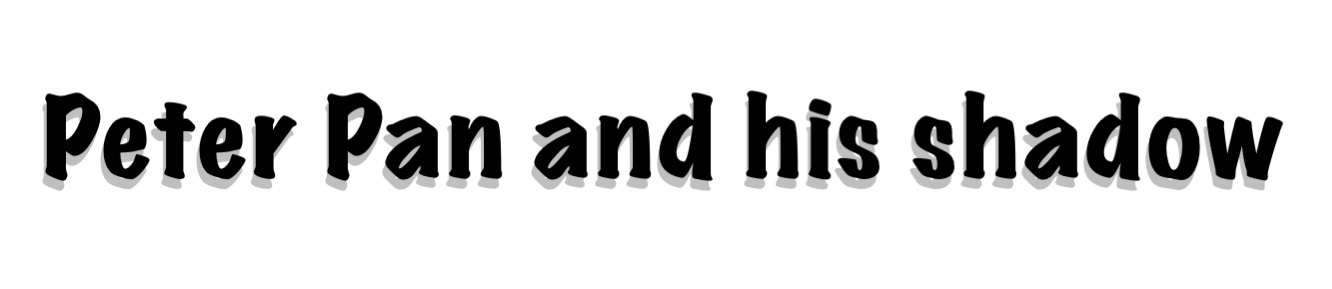
Sometimes when placing text on a slide in a presentation, the background image can make it hard to read the text. Other times you’d like your text to stand out a little bit from the document. This is where drop shadows come in handy. Basically this trick relies on two text boxes, each with the…
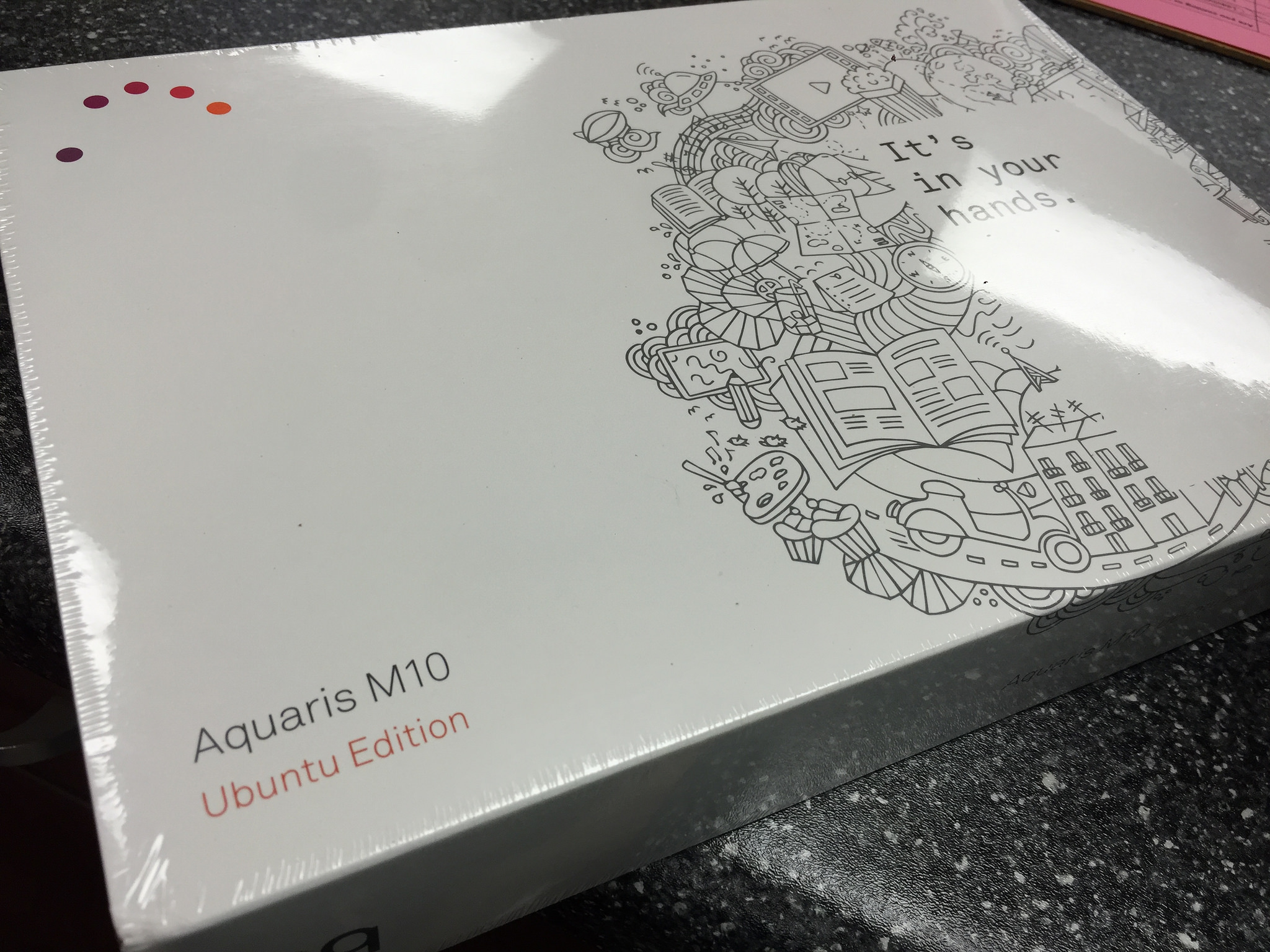
First look at the Ubuntu Tablet Last Friday I received my Ubuntu Tablet, and first impressions are definitely mixed. For $300 the hardware seems to be pretty decent, and feels pretty good in the hand. The software, on the other hand, is definitely a work in progress. Quick summary: This tablet is for early adopters…
https://eduk8.me/2021/10/outdoor-recess-in-winter-comic/ https://eduk8.me/2021/10/people-prefer-pain-instead-of-thinking-hard/ https://eduk8.me/2021/10/mockofun-is-free-online-design-app-for-teachers/

Elementary classroom STEM challenges Twenty eight ideas for STEM activities in the elementary classroom. StoryBots Classroom is FREE for Teachers Videos, games and other activities for the PreK – 1 classroom. Introducing GSuite for Education Sites Google has modernized several features in the new GSuite Sites.
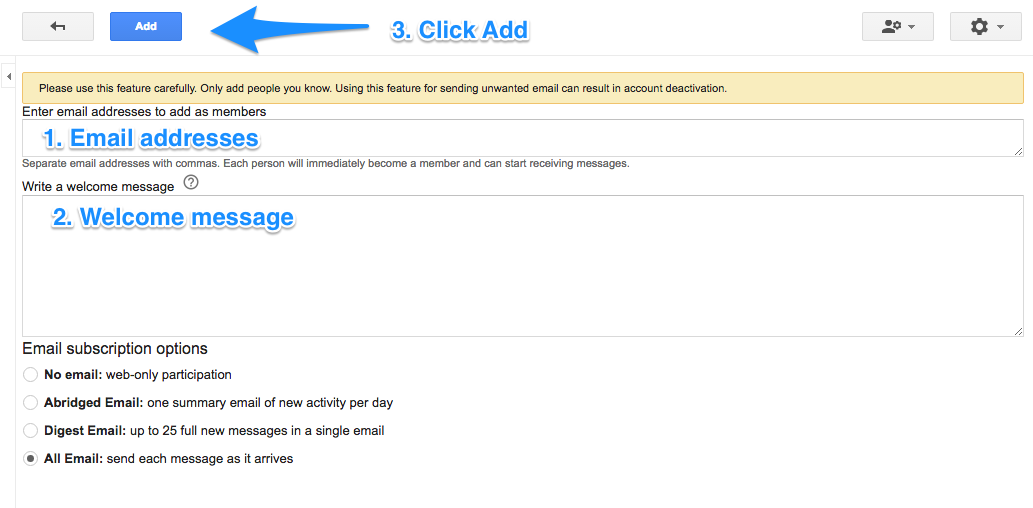
This is part 5 of 13 Gmail hacks for teachers. Google groups is a service offered by Google to create email listservs. While some of its functionality can be duplicated with Google Classroom, there are times when having a Google Group comes in handy. First, you will need to know if Google Groups is turned…
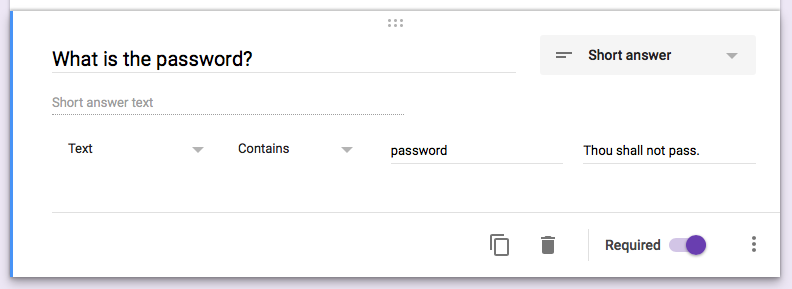
If you teach several classes during the day, you may re-use the same quiz for those classes. But what do you do when students in your 1st period class share the link to the quiz with students in your 8th period class? To set a password, you’ll need to first create two sections in your Google…